 SmartHomeTricks
Welcome to my personal collection of
Smart Home Tricks

Here you can find some tricks related to the world of home automation, such as examples of complete
use cases, or simple helpers, like sensor definitions or automations.
Many examples take advantage of Home Assistant, since I have been using it for several years now.
In addition you will find not only tricks related to the technical aspects of the smart home system, but also tips on how technology can help us in our daily lives at home.
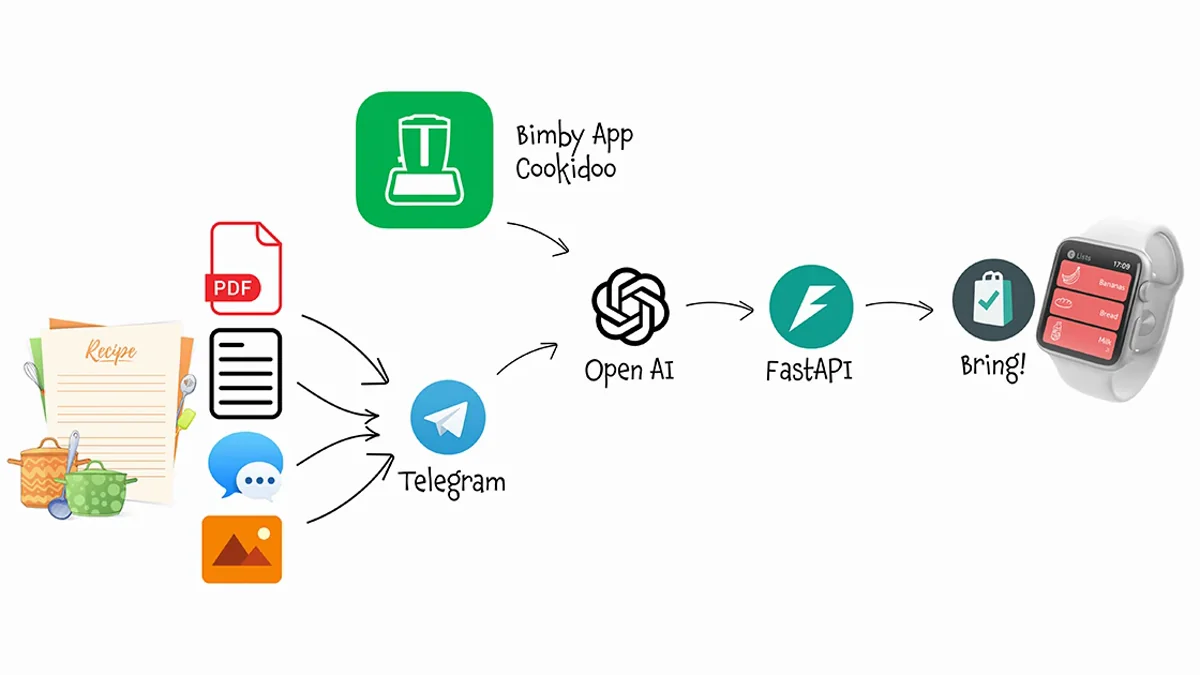
AI Shopping Assistant V2
Bring! on the Apple Watch, Cookidoo in the Thermomix... and one AI assistant to orchestrate them both. Here is V2 of my AI Shopping Assistant, which extends everything V1 could do, plus Cookidoo, but without Home Assistant in the middle.
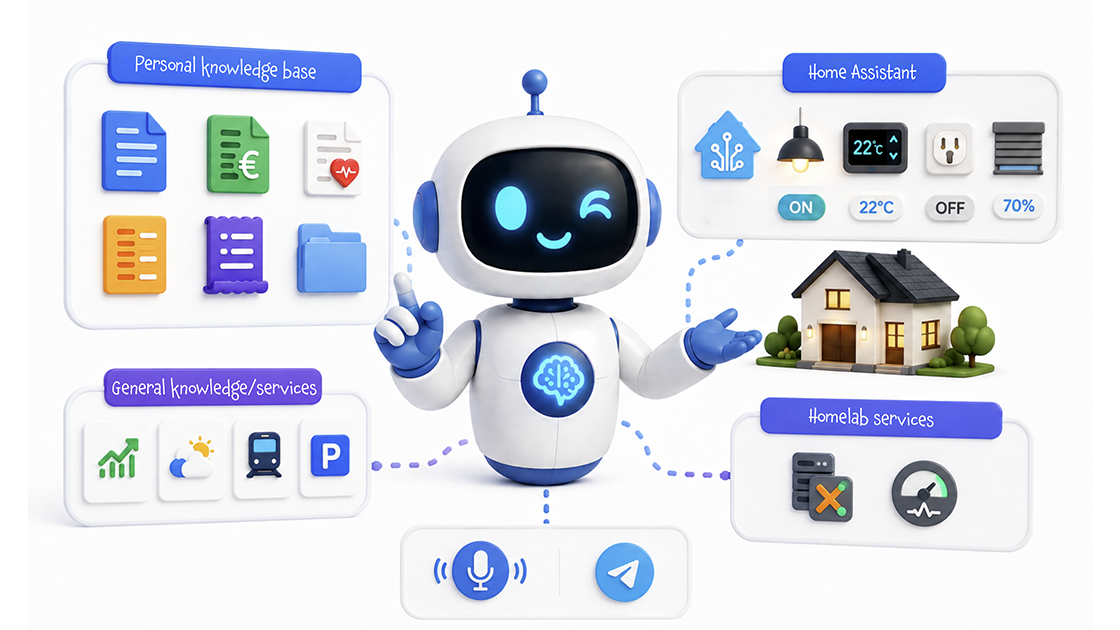
Build a personal AI for your home — with a private knowledge base
An AI Agent that orchestrates three very different kinds of knowledge — Home Assistant as a delegated third-party system, a vector store over your static private documents, and a realtime API over your homelab — to give you a single conversational assistant that actually knows you and your home.

Query your bills and documents with a private RAG knowledge base
After the AI Bill Assistant files my bills and the Claude Code skill do the same for sporadic documents, the numbers were still stuck in folders, even if in a structured format. So I built a private RAG knowledge base, with an AI Agent that answers any question about all my documents in natural language.
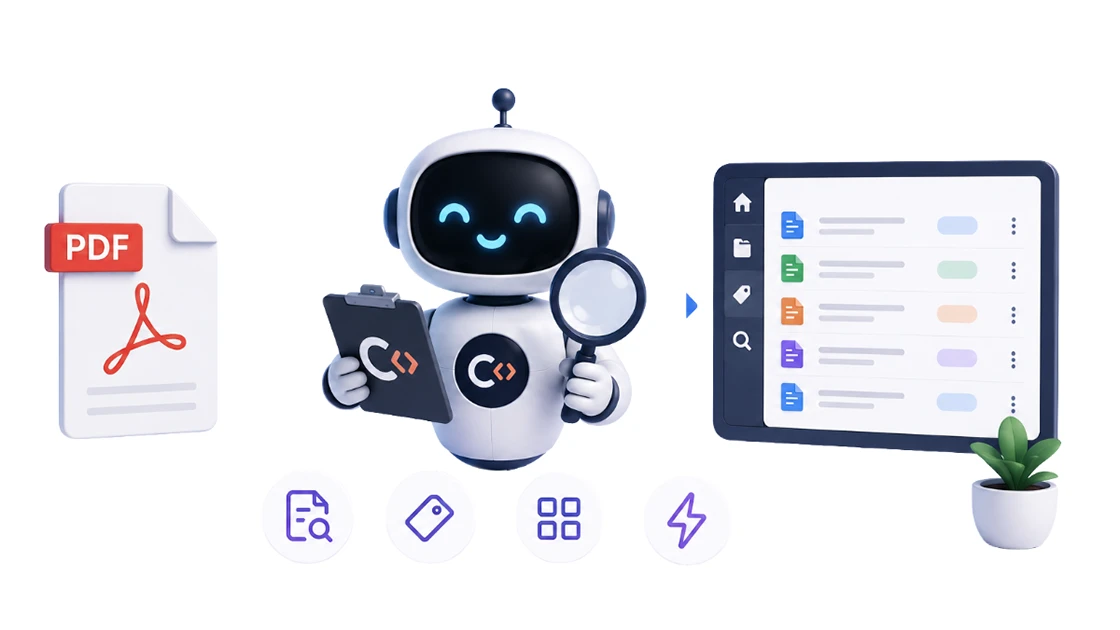
Scan and analyze documents with Claude Code
A workshop service record, an inspection, the annual vehicle tax, an occasional receipt or contract — sporadic documents with no fixed layout never justified a dedicated n8n workflow. So I built a Claude Code skill instead: it scans and analyzes any document on macOS (native text layer first, Vision OCR for scans), the agent turns it into clean records validated against JSON schemas — one document can even become many records — and saves them, idempotently, to MongoDB. This is the deep dive on that skill.
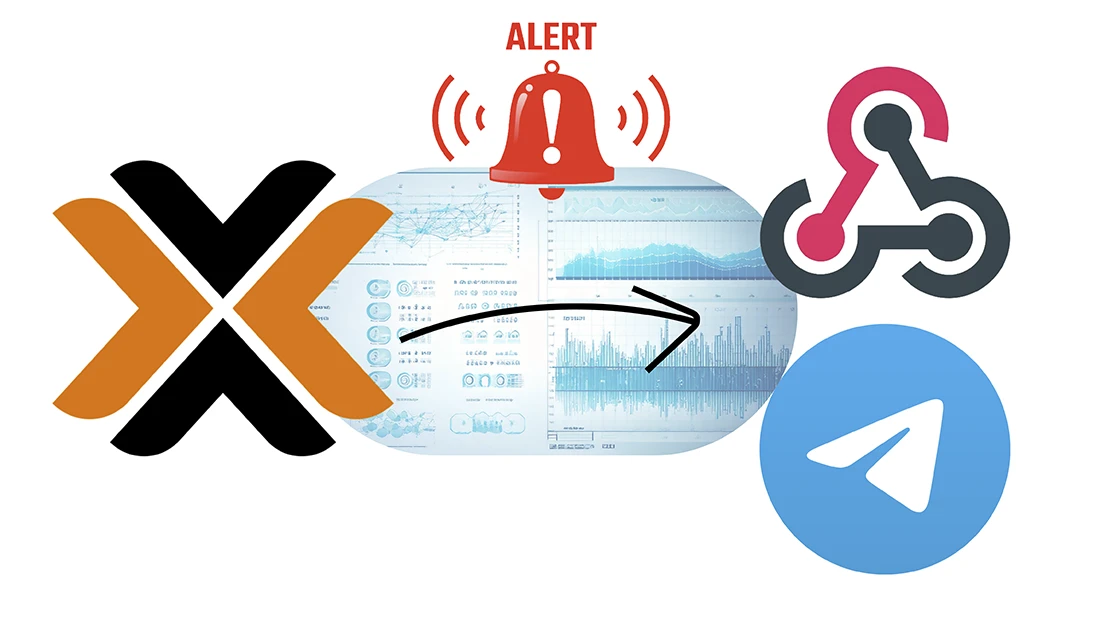
Proxmox HomeLab status monitoring
I keep an eye on my whole Proxmox cluster without staring at dashboards: an n8n workflow reads the Proxmox API natively, walks nodes, VMs and LXC containers one by one, checks everything and messages me on Telegram if there are any issues.
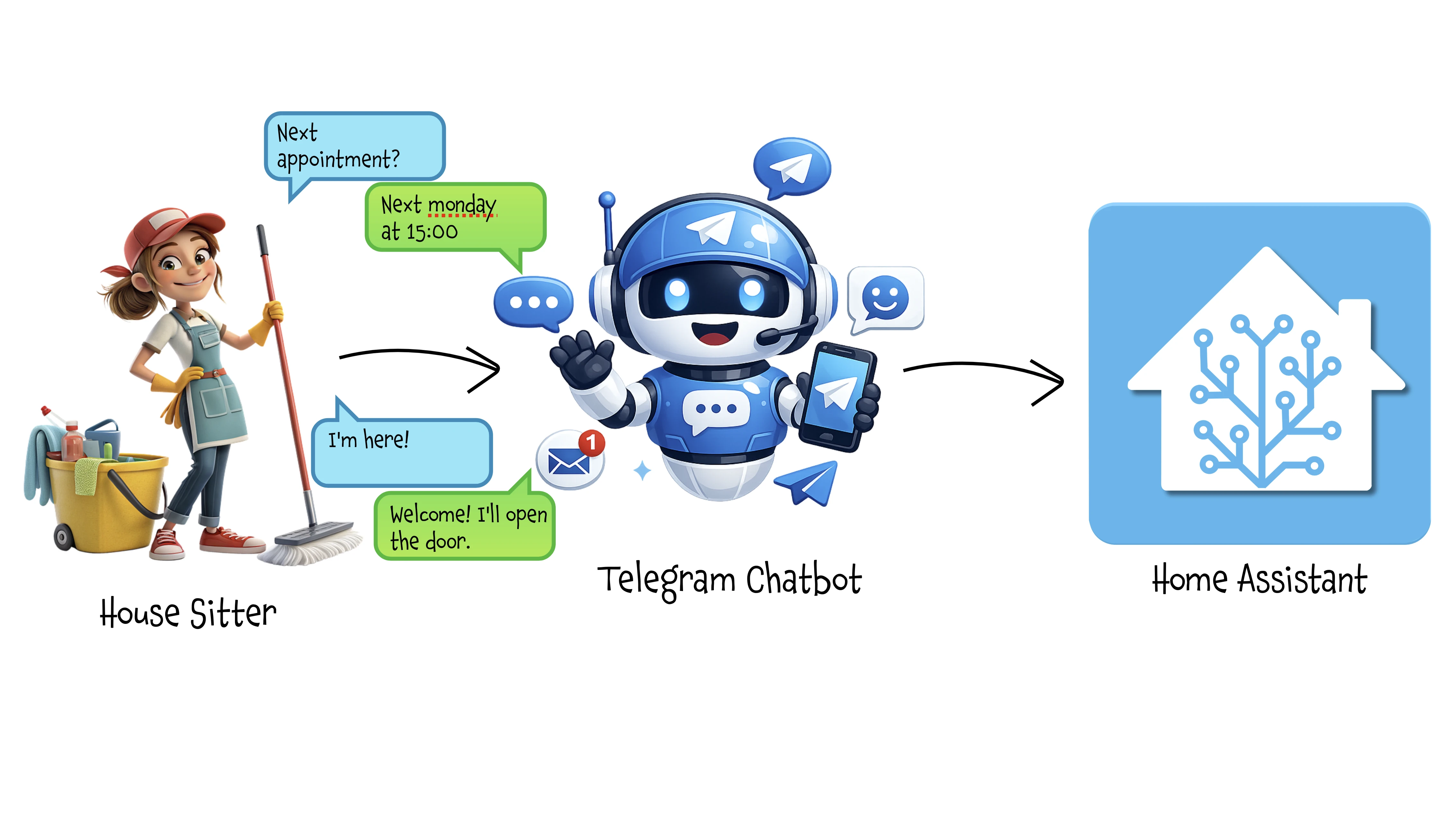
House Sitter Chatbot
Forget having to be available when the house sitter arrives to open the gate and front door for her/him… a virtual butler will welcome her/him in your place, managing security and protecting you from unwanted access or entry outside the agreed schedule.
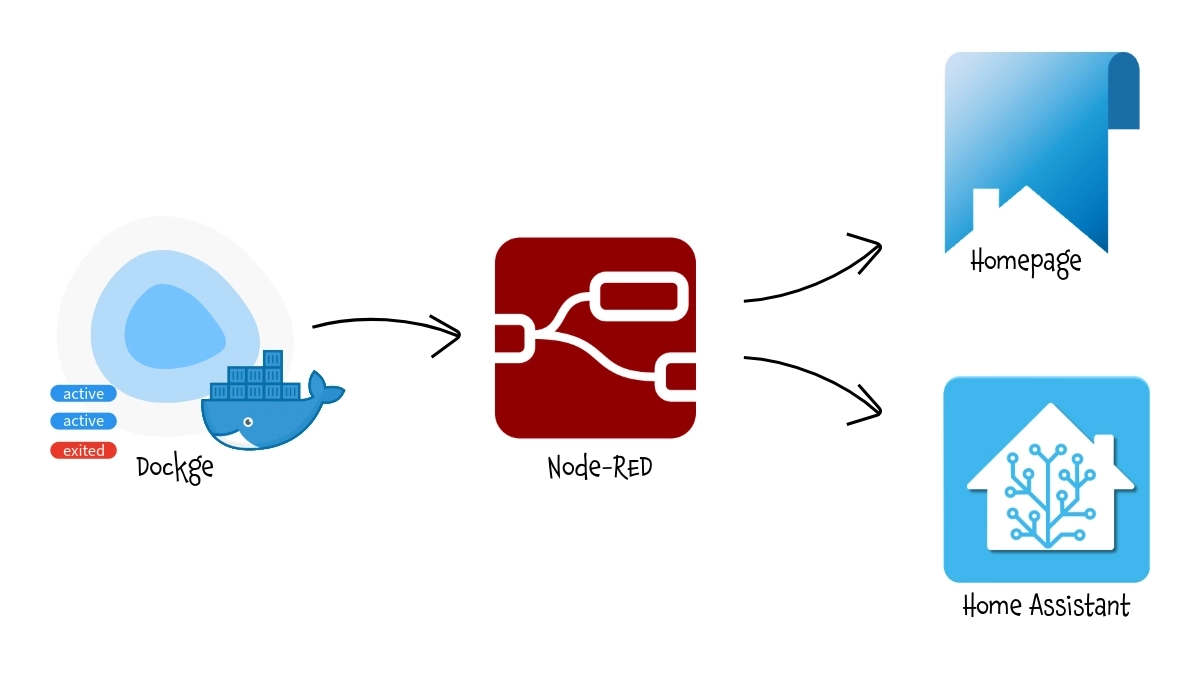
Expose Dockge data to Homepage
This workaround allows Homepage to display real-time status information from Dockge container stacks, despite the absence of an official API, enabling centralized monitoring of your Docker containers.
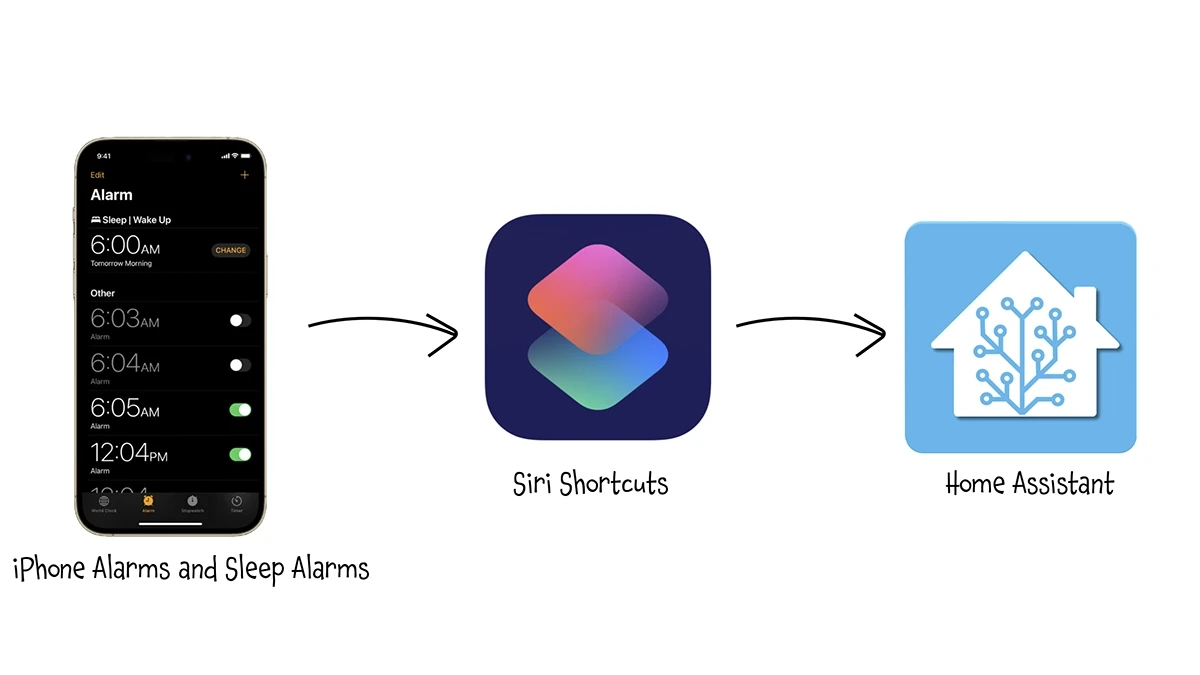
Expose iOS Alarms to Home Assistant
This simple process allows Home Assistant to automatically access the next alarm set on an iPhone (both standard alarm and wake-up one), making it available for automations like preheating the house or turning on the water heater in advance.
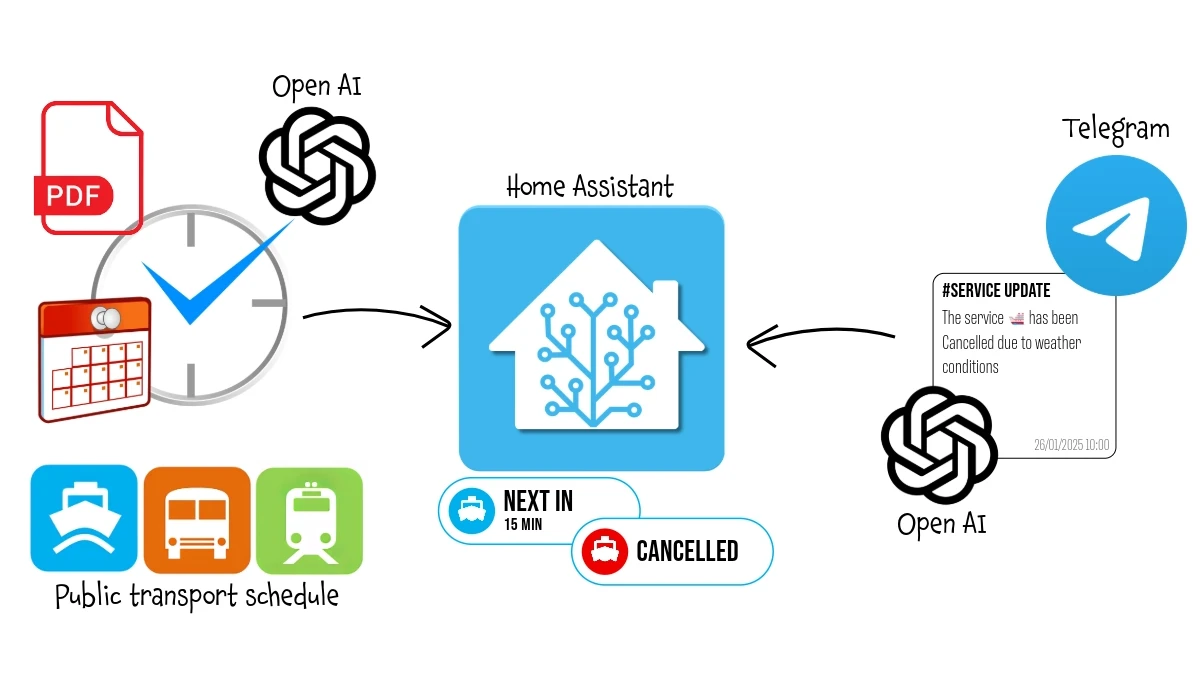
Public Transport Next Departure Time and Status
With this workflow, every morning when I need to go to work, a widget on my smart home dashboard shows the waiting time for the next ferry departure, obtained from the official PDF schedule on the operator's website. Additionally, it monitors the municipality's official Telegram channel for any service interruptions due to weather conditions and notifies me both on the dashboard and via the voice assistant.
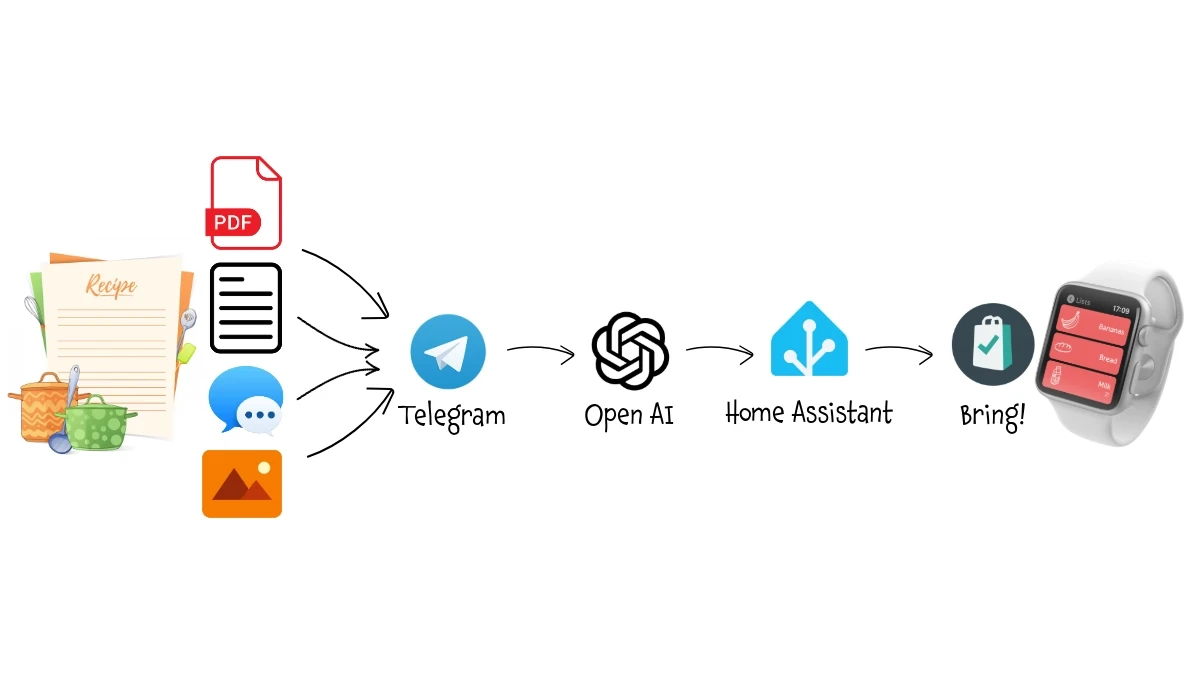
AI Shopping Assistant
With this trick, whenever you find a recipe you like on a website, a PDF, an image on Instagram, or even in a message from a friend, all you need to do is share the content on Telegram. An AI-based bot will analyze the recipe, identify the ingredients, add them to your shopping list—preserving the quantities of those already on the list—and make them easily accessible on your smartphone or smartwatch for your next trip to the supermarket.
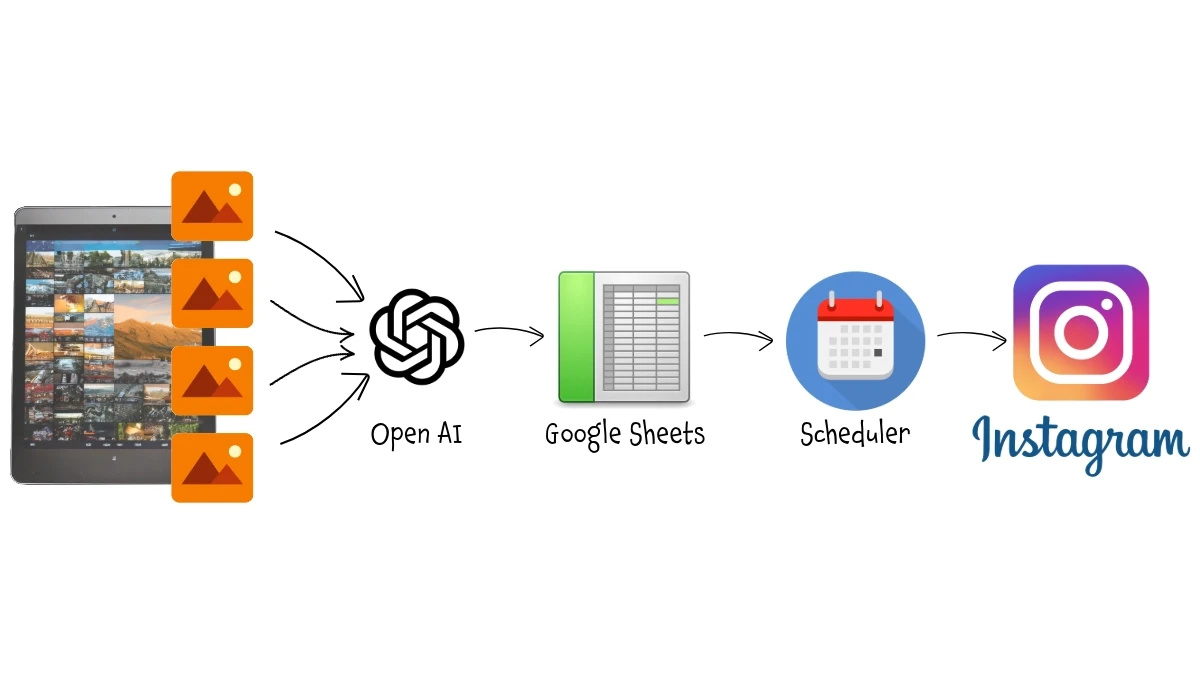
Automatic Instagram Posting
Forget about spending time to manage your IG account (or Facebook page, Linkedin, ...): an AI based workflow will do it for you! This workflow takes the images you’ve edited and prepared for posting on Instagram, analyzes them, suggests the most suitable description and hashtags based on the content of each photo, and posts them on your behalf. You have just to review the description and define the day you want to have each one published.
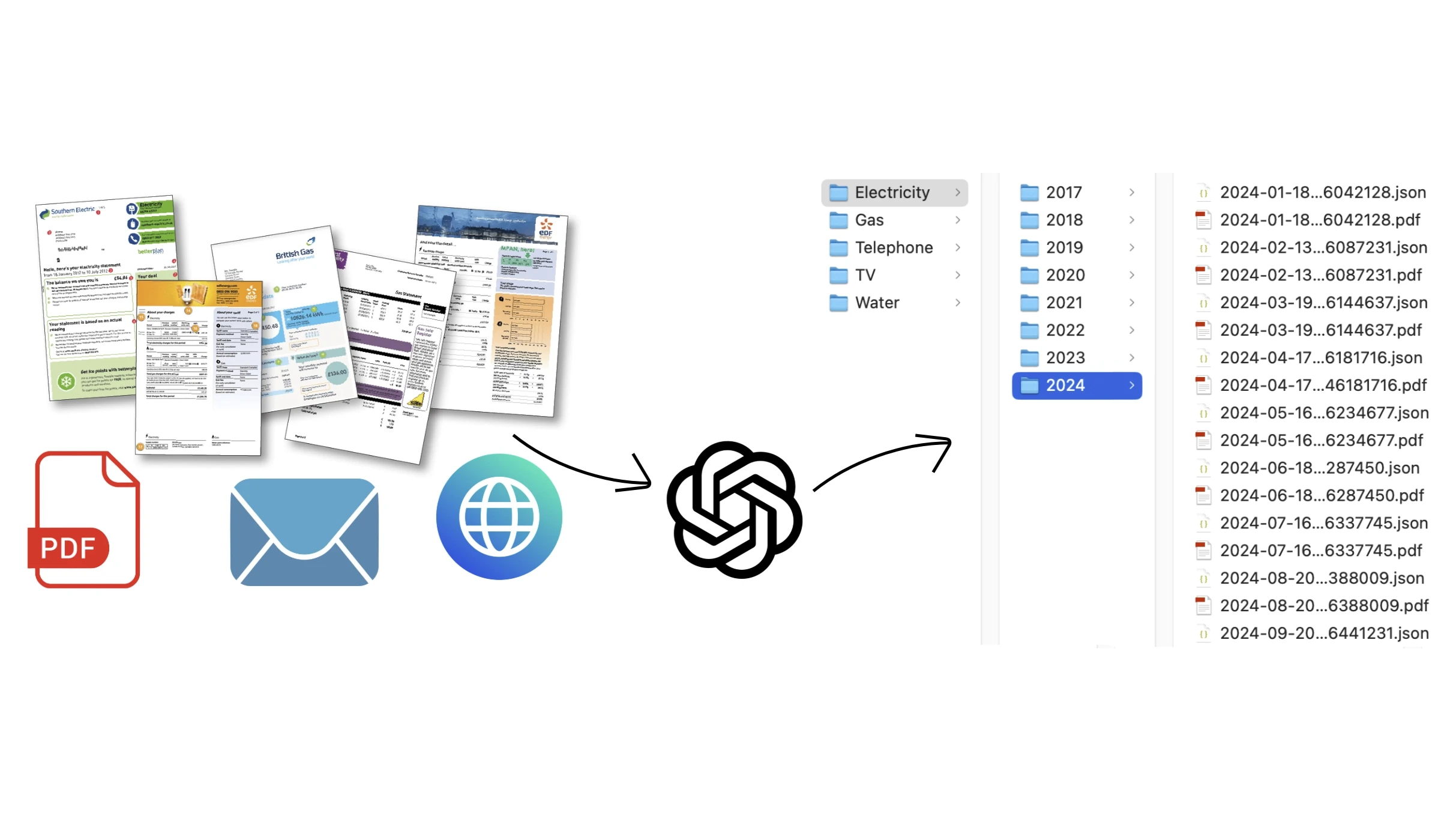
AI Bill Assistant
Forget about spending time to save and organize your bills, an AI based workflow will do it for you! This workflow read your bill related email, identify where the PDF bill is stored (it doesn't matter if attached to the email, linked in the email body or in a personal area website), extract main info (like the amount, reference period, etc) and save the PDF and also structured bill's data in a shared folder.
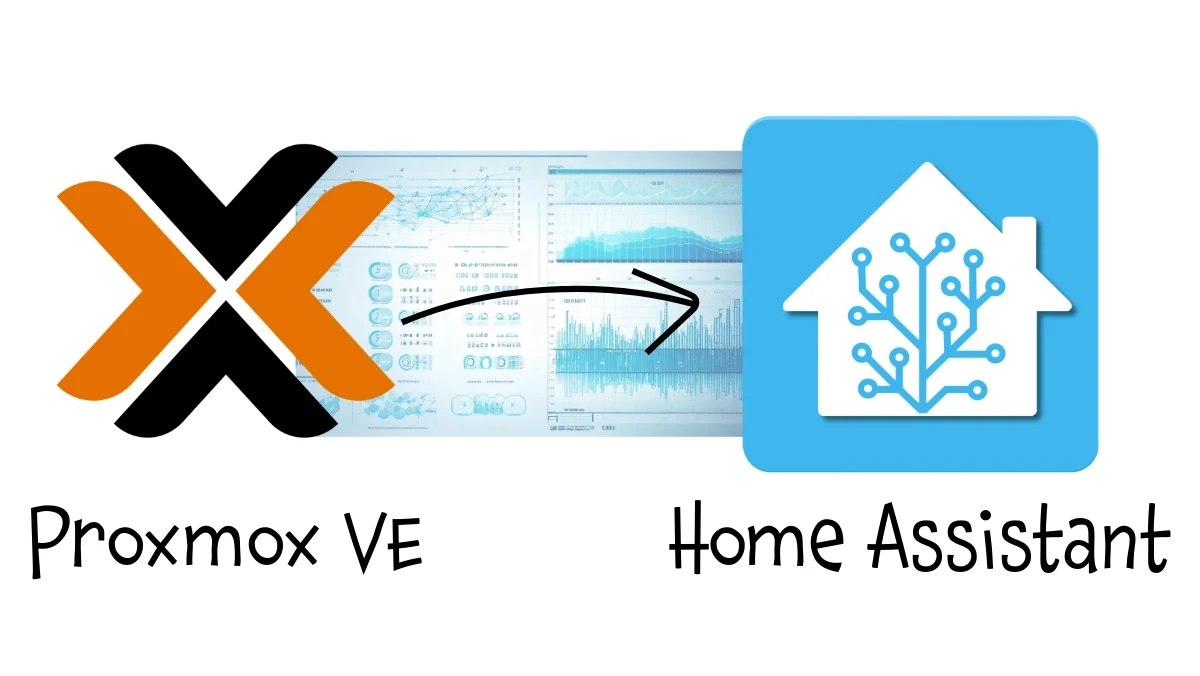
Proxmox resources monitoring
This process allows to expose in Home Assistant (or other Smart Home Hub) all information about all LXC and VMs defined in a Proxmox VE node.
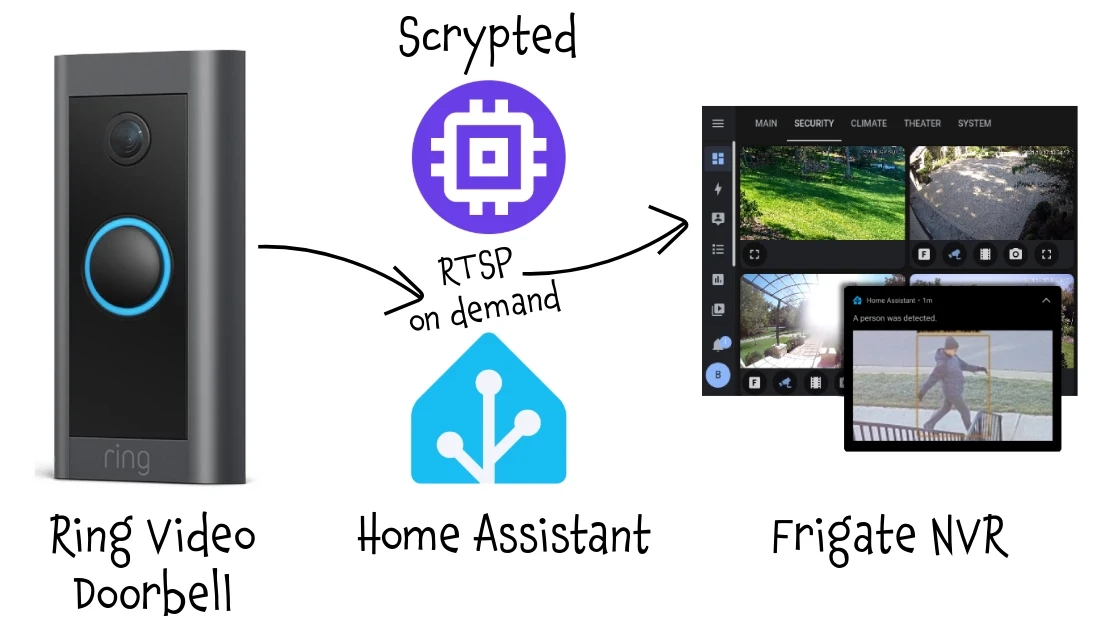
Connect a Ring Video Doorbell camera in Frigate
This process allows managing a Ring Video Doorbell (or another battery-powered camera) in Frigate or other NVR software that relies on continuous recording, without the risk of draining the battery.
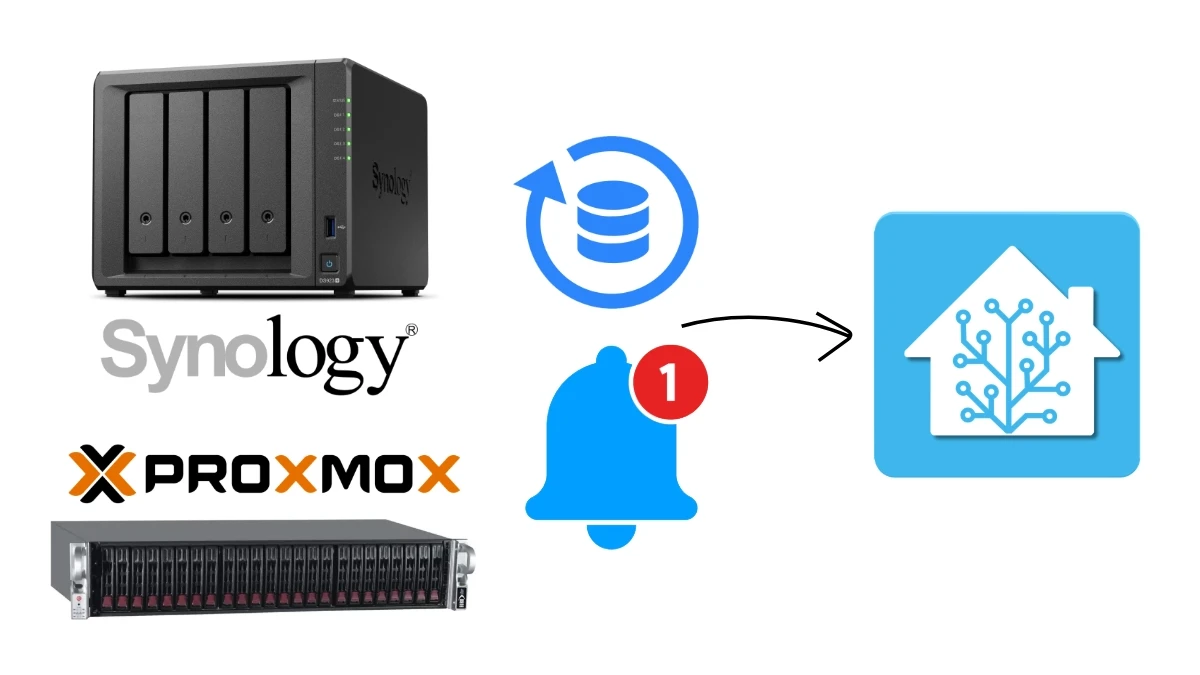
Proxmox and Synology Backup status
This workflow exposes to Home Assistant the backup status (last successfull backup date) of Proxmox VE, Synology Active Backup for Business and Synology Hyper Backup.
Automated House Sitter Access Management in Home Assistant
This package creates a full automatic system for managing temporary access for house sitters, cleaners, or maintenance workers in Home Assistant. Really simple, just Home Assistant without external services, AI, complex automations or custom components.
Define a Next Public Transport Departure sensor in Home Assistant
This sensor provides the waiting time in minutes for the next public transport, whether it’s a train, a bus, or — as in my case — a ferry. It is based on a daily timetable in JSON, either set manually or obtained from a webpage, an API call, a PDF, or another data source.
Define an Average Temperature sensor in Home Assistant
This sensor calculates the average temperature of a zone; source sensors are specified in the sensor definition, without the need of a group or an extensive search.
Define a Low Batteries sensor in Home Assistant
This sensor returns the list of all low battery devices. Unlike the previous one, it does not use groups but searches for all devices with certain attributes.
Define a Windows open sensor in Home Assistant
This sensor returns the list of all open windows by checking all the windows sensors defined in a group.